A Critical-severity vulnerability identified during a security assessment allowed an authenticated user to execute arbitrary shell commands within a backend workflow environment. Further testing confirmed root-level access inside the execution container, exposure of runtime credentials, and access to Azure infrastructure metadata.
The vulnerability originated in workflow automation functionality that allowed users to configure scripts to run before or after a job. This assessment demonstrates how unsafe command execution, excessive container privileges, and insufficient isolation can expose sensitive application and cloud resources.
1. Identifying the Command Injection Vulnerability
The application allowed authenticated users to configure custom commands through the Pre-Run Script and Post-Run Script fields. Testing revealed that user-supplied input was interpreted as shell commands within the backend execution environment.
To verify command execution, the following benign command was entered into the script field:
echo "test" && id
The workflow execution logs returned:
test
uid=0(root) gid=0(root) groups=0(root)
The output confirmed arbitrary command execution and root privileges inside the container. The behavior is consistent with CWE-78: OS Command Injection, in which improperly handled user-controlled input can alter the intended execution of an operating-system command.


2. Exposing Runtime Credentials
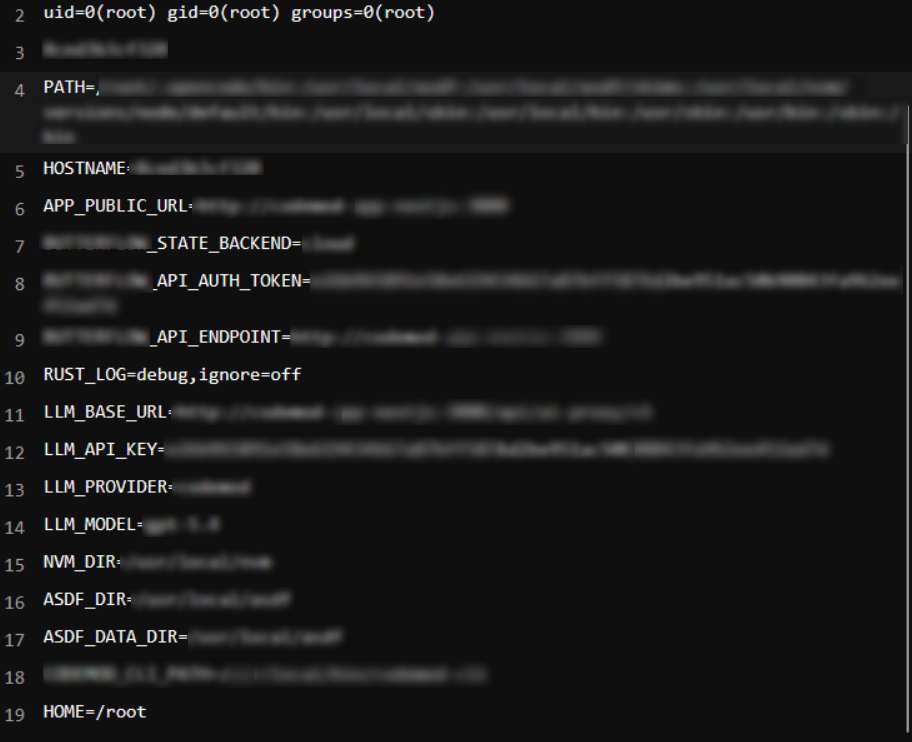
After confirming command execution, the assessment examined the information accessible from the same execution context. The following command was used to inspect the hostname and environment variables associated with PID 1:
echo "test" && id && hostname && cat /proc/1/environ | tr '\0' '\n'
The file /proc/1/environ exposes environment variables supplied to the process with PID 1. Depending on the container configuration, these variables may contain application credentials, authentication tokens, API keys, and internal service configuration.
The workflow logs exposed sensitive credentials, authentication tokens, API keys, and internal configuration values in plaintext. This confirmed that the command injection vulnerability could be used to retrieve sensitive information available within the container, without requiring a separate application vulnerability.

3. Accessing Azure Instance Metadata
The assessment next tested whether the workflow execution environment could reach the Azure Instance Metadata Service (IMDS), which provides information about the hosting infrastructure through the link-local address 169.254.169.254.
The following command was executed through the same script field:
echo "test" && id && hostname && curl -s "http://169.254.169.254/metadata/instance?api-version=2021-02-01" -H "Metadata: true"
The request returned Azure infrastructure metadata, including subscription identifiers, resource-group information, Kubernetes cluster details, network configuration, and managed identity information.

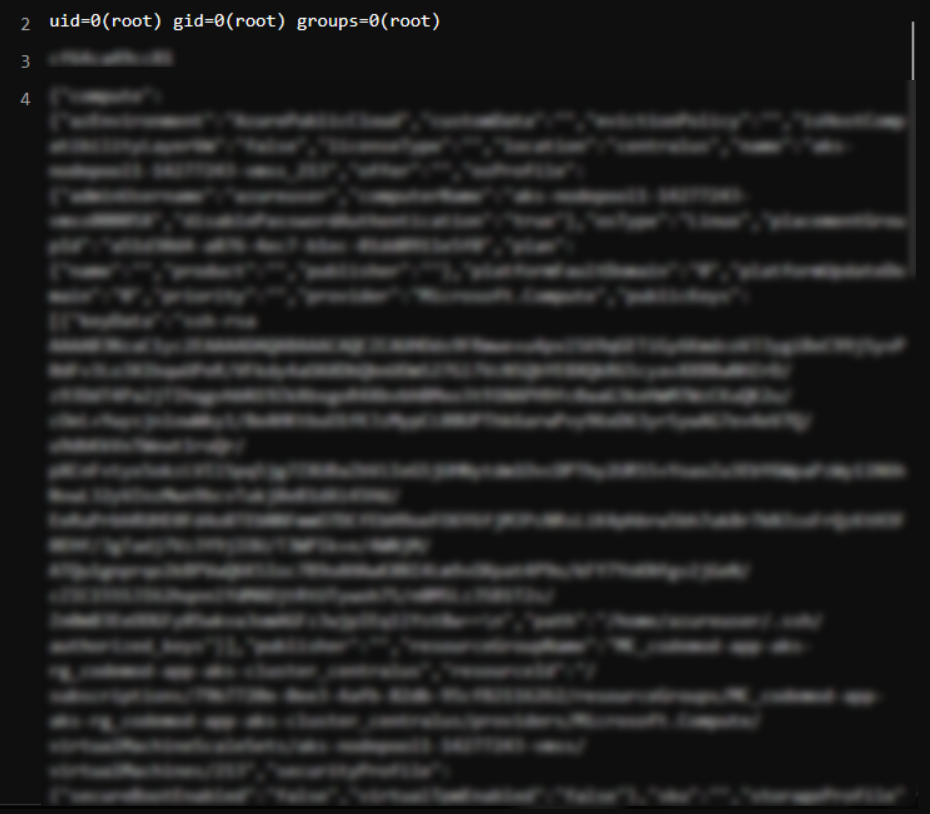
The metadata disclosure increased the potential impact of the original vulnerability. Azure IMDS can provide access tokens for an assigned managed identity through its token endpoint, subject to the identity configuration and applicable controls. Any resulting cloud access depends on the identity's assigned permissions and scope; metadata disclosure alone does not establish unrestricted access to Azure resources.
4. Impact and Organizations at Risk
The assessment demonstrated the following security issues:
- Authenticated users with workflow access could execute arbitrary operating-system commands.
- Commands ran with root privileges inside the workflow container.
- Runtime credentials and internal configuration values were exposed through environment variables.
- Azure infrastructure and managed identity information was accessible through IMDS.
- Exposed credentials or tokens could create further risks depending on their validity and assigned permissions.
Organizations using workflow automation platforms, CI/CD runners, low-code tools, or agent execution environments may face similar risks when user-controlled scripts run with excessive privileges or can access sensitive resources.
The risk is particularly relevant where custom scripts execute as root, secrets are exposed to workflow processes, or cloud metadata endpoints are reachable without a documented requirement.
A web application penetration testing engagement can help assess these execution paths, privilege boundaries, credential exposure, container isolation, and cloud access controls.
5. Root Cause and Remediation
The primary root cause was the execution of user-controlled shell commands without sufficient execution isolation and privilege restrictions. The impact was amplified by accessible runtime credentials and connectivity to Azure IMDS.
Recommended remediation measures include:
- Prevent command injection: Avoid constructing shell commands through string concatenation. Use predefined executables and structured arguments with appropriate validation.
- Enforce least privilege: Run workflow scripts in isolated environments under dedicated, unprivileged identities, with unnecessary Linux capabilities removed.
- Protect secrets: Avoid exposing sensitive credentials to user-controlled scripts through environment variables. Use a managed secret store with narrowly scoped access.
- Restrict metadata access: Block unnecessary access to Azure IMDS using supported network and platform controls.
- Limit cloud permissions: Assign managed identities only the roles and resource scopes required for their workloads.
- Control script execution: Restrict access to script configuration and monitor workflow runs for suspicious command execution and sensitive resource access.
These measures address both the injection vulnerability and the conditions that allowed it to expose container resources and cloud infrastructure information.
6. Assessing Workflow Security
This assessment demonstrated how a single script field could connect authenticated command execution to root-level container access, runtime credential exposure, and Azure infrastructure metadata disclosure.
The key lesson is that workflow execution must be isolated from sensitive application and cloud resources. Correcting unsafe command handling, enforcing least privilege, protecting credentials, and restricting metadata access can reduce the likelihood and impact of similar vulnerabilities.
If you're looking to assess your organization's exposure to similar risks, Scan your organization's exposure, explore Laburity, or book a consultation.
Platform details, organization names, and sensitive credential and metadata values have been redacted.